Showing posts with label idm. Show all posts

Tuesday, May 26, 2015

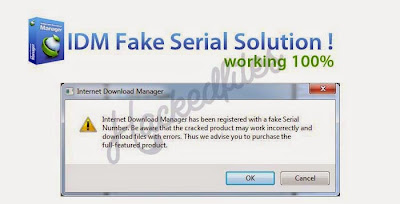
Tricks to Disable Pop-up "Fake Serial Number" in IDM

Are you annoyed of Fake Serial Notice that Pops-up on your Screen when you're using Internet Download Manager? Even though you have already activated that crack for it, still fake serial pops-up, really annoying isn't it?

Today Im going to give you very simple to follow tutorial on how to Disable Pop-up "Fake Serial Number in IDM" please follow step by step guide carefully. Any wrong step might lead to a system failure so do it at your own risk:

Step 1: Run "regedit"
By pressing Windows Key + R button simultaneous Run Dialog will Pop up and type in "regedit" then press Enter

Step 2: Go to  / Navigate to: HKEY_CURRENT_USER\Software\downloadManager

Step 3: Find the name CheckUpdtVM and modify 10 to 0 (that's from ten to ZERO)

Step 4: Close Regedit and Tadahh~@#$!@.......... You're done. Congratulation you're PC won't show any Fake Serial Number Popup on your Screen.

Monday, December 30, 2013

How to Disable Automatic Update Check of IDM (Internet Download Manager)


1. Open Run by pressing Winkey + R
 2. Type regedit.exe and then press enter
 3. Go to the key: HKEY_CURRENT_USER\Software\DownloadManager\LastCheck
 4. Change the date to any future date of your choice in DD/MM/YY format. For example 01/01/99
 5. Close regedit
 6. Restart Computer. Now IDM (Internet Download Manager) will not check for any update.